
What AAGI Can Do
AAGI has the following specific uses.・Direct PC Operation
・One-to-one correspondence of a single gesture to key press or mouse click.
・Configurable for each app and switched automatically.
・Can be used with various existing devices such as Eye Tracker, trackballs and switch interfaces.
・Shortcut keys such as combination of Alt, Shift, Ctrl + key, left click + key, etc. are also assignable to one gesture.
・On-screen keyboard, mouse & communication tools
・Windows On-screen keyboard (OSK)
・Mind Express 5, Grid3, Chrome, etc.
・One click mouse
・Games
・Control of PC games (Steam, online games, etc.) and dedicated consoles such as Nintendo Switch, SONY PlayStation, Microsoft Xbox, etc.
・PC games are available without any specific devices.
・Dedicated consoles can be used with an interface (ATOM S3). Nintendo Switch Pro Controller is also available in combination.
・Other existing devices can be used in combination by use of Flex Controller or Xbox Adaptive Controller.
・Home Appliance Operation
・Original software for home appliance operation: Gesture Link
・Control of infrared remote-control devices via SwitchBot or Nature Remo.
・Devices with infrared remote control can basically be registered.
How to apply equipment for a various kinds of person with disabilities?
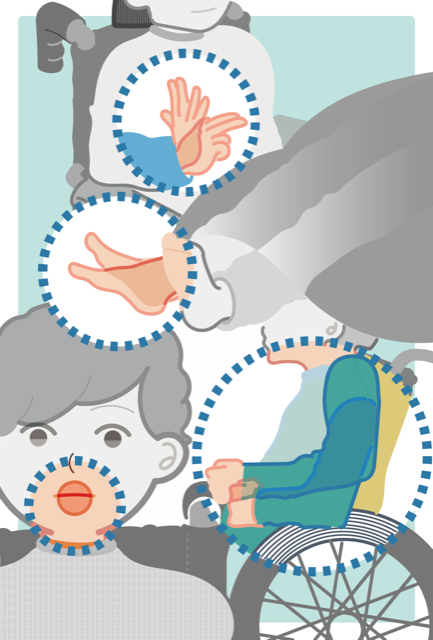
We have collected data about gestures of persons with disabilities with using a various kind of image range censors for 7 years. The data is from 81 person with disabilities, amount of 1745 parts of the gesture that is shown in Fig.1. It is difficult to adapt all persons of disabilities, but we collected gestures that actual users needed in using actual interface, in order to apply to many users. We divide the data into hand (3 parts), head (3 parts), legs (3 parts), shoulder and other. This is because to apply for more users as fewer number of recognition engine as possible.Figure 1.Classified Gestures Depended on Body Parts.(March, 2021)
| Hands, Arms | Folding Fingers | 299 |
| Arm movement | 80 | |
| Upper arm movement | 172 | |
| Head | Hole head movement | 401 |
| Mouth(Open and close mouth, Tongue) | 190 | |
| Eyes(Glance, wink, open and close eyes) | 252 | |
| Shoulder | Up and Down, move forward and back | 121 |
| Legs | Open and close legs | 5 |
| Step | 59 | |
| Tapping | 5 | |
| Other than those above | - | 161 |
| Total | Total number of parts | 1745 |
| Total number of test subjects | 81 |
Multi gesture recognition engines
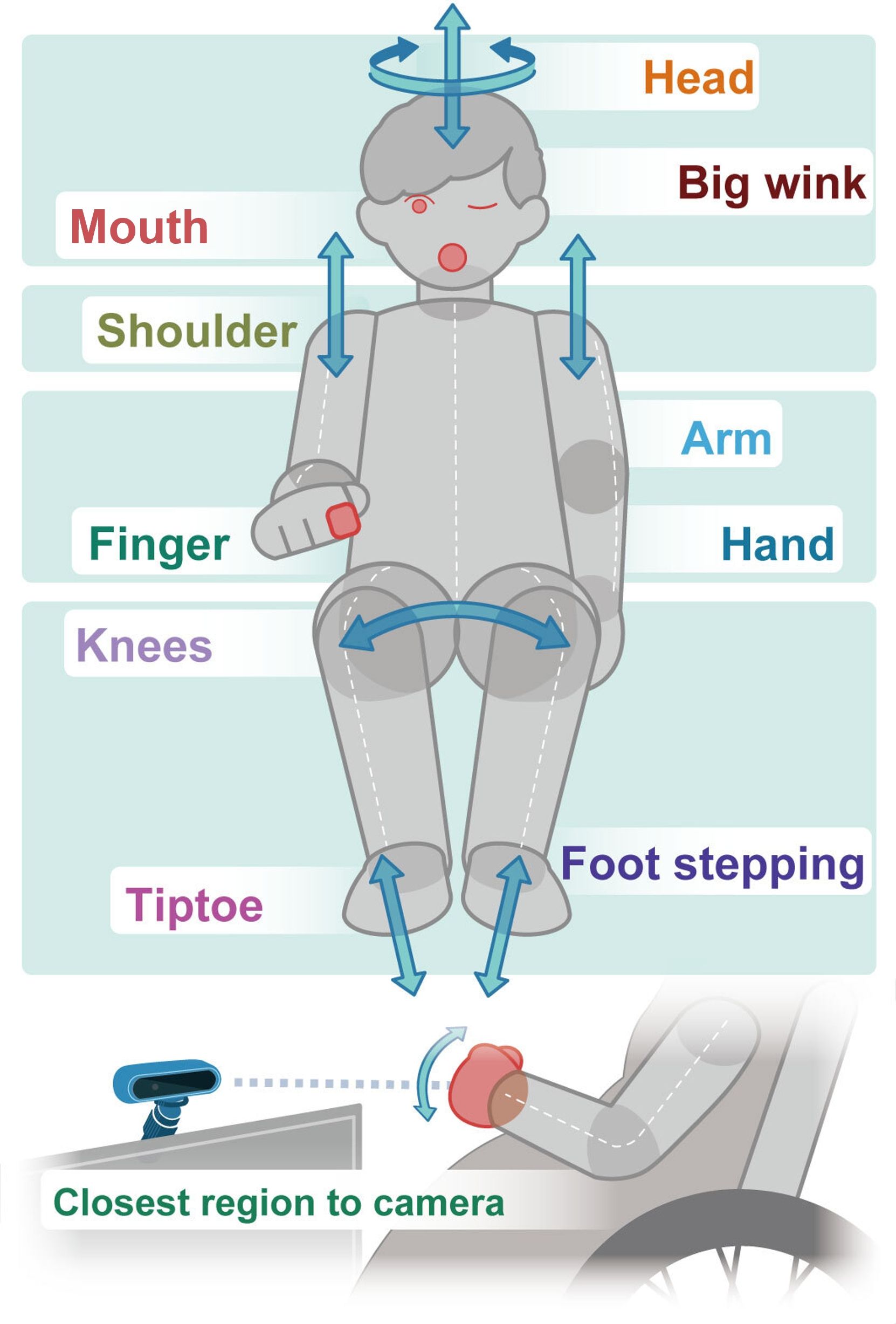
We develop 9 types of basic recognition engine according to the collected gestures shown in Fig.1. It is not enough number of persons with disabilities; however, we aimed to collect 50 – 60 people’s actual data since we started this project. We developed several recognition engines shown in Fig.2 with observing and classifying the data in detail.Each module has up to 4 output channels, which means that one module can recognize up to 4 different gestures. For example, Shoulder Module can recognize motion of left and right shoulder, therefore it has 2 output channels. One output channel can be assigned to one PC operation, such as key press or mouse click.
Figure 2. List of Correspondence between Parts of Gesture and Recognition Modules.
| Part | Gesture | Module name |
| Hands, Arms | Folding Fingers | Finger |
| Hand, upper arm movement | Front object | |
| Head | Head right and left, up and down | Head |
| Big wink | Wink | |
| Movement around the mouth (e.g. Opening and closing mouth, tongue in and out) |
Tongue | |
| Shoulder | Shoulder up and down, forward and back | Shoulder |
| Legs | Stepping | Foot |
| Opening and closing legs | Knee | |
| Movement of the closest part of the camera | Front object | |
| All | Fine motion of specified area | Slight movement |
Gesture Music
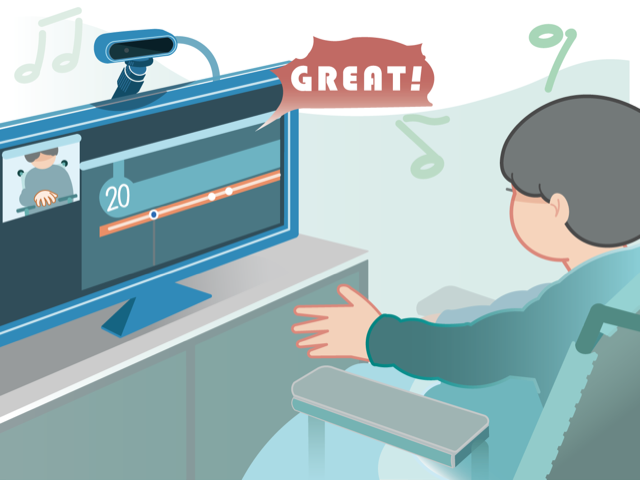
First, a user choses adaptable recognition engine and then, play music game “Gesture Music” in some cases. The system adapts each user’s body parts and user’s motion. So, the system learns the user’s motions. Usually, users have to learn how to use the equipment (way of spatial movement) such as keyboards and mouse, however the point is that our system learns user’s motion.